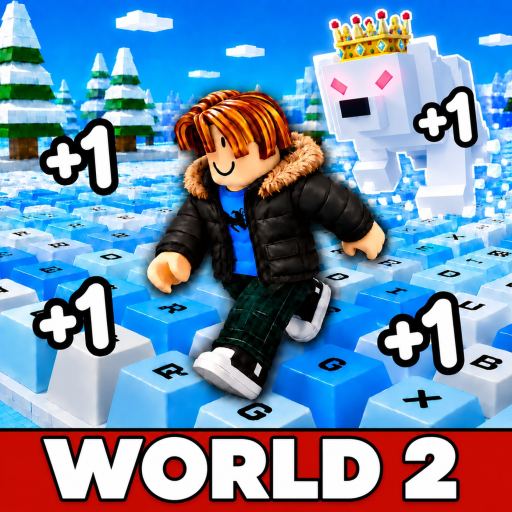
Your first-session sequence
- 1
Open the exact Roblox game through the official play link.
Move to gain Speed and practice jumping across snowy keys. The official description warns that a wrong step can mean starting again. Choose a short section you can repeat before judging your pace. Start with a repeatable jump rather than a long full-course attempt. Choose a clear takeoff point and watch whether you land short, on the key or beyond it. Keep your approach similar for several tries. If you change both your approach and your movement setting at once, it becomes harder to tell which change helped. The goal of the first practice is control, not matching the highest number visible in a video.
- 2
Identify total Speed, Level, Custom Speed and Wins before entering planner inputs.
Find total Speed, the Level progress bar, Custom Speed and Wins. Total Speed measures growth; Custom Speed is a separate movement setting. Do not treat a video’s one-account value as a universal target. For a Speed estimate, note your accumulated total at the start and end of a timed interval. Enter the difference as gained Speed, not the ending total. For a Wins estimate, record the reward of a successful run and a representative attempt time. Include typical failures when choosing that time and success percentage. These samples describe your current play; a new boost or reset may require a fresh measurement.
- 3
Practice one short snowy-key section and use small movement adjustments if needed.
If movement is difficult, try the Custom Speed practice guide. For progress planning, take a timed total-Speed sample or record the reward and duration of a run before opening the relevant planner. A wrong step can restart your attempt according to the game description. Treat the restart as another observation: did you approach too quickly, change direction late or use a different takeoff point? Work on one of those factors at a time. You do not need a guessed unlock threshold to improve the next short section.
- 4
Measure a short sample, then choose either a Speed target or a Wins goal.
Pick your next task
Common mistakes
- Entering the ending Speed total as the gain: subtract your starting total first.
- Changing your approach and movement setting together: change one thing per practice test.
- Using a video's account numbers as requirements: read the current game prompt.
If your first run stalls
If you keep landing past a key, use a consistent approach and test a smaller Custom Speed adjustment.
If a planner result seems strange, check that you measured accumulated Speed or actual Wins rather than the movement setting.
Common questions
How do I gain Speed?
The official description says movement builds Speed. This guide does not assume a fixed per-second rate.
Should I copy the maximum setting from a video?
Read the maximum shown in your current game instead. A video is one account snapshot.
Which planner should I use?
Use Speed for accumulated-growth targets and Wins for successful-run goals.
Where are the exact World 2 requirements?
They were not established in the checked sources. Read the current game prompt or creator instructions.